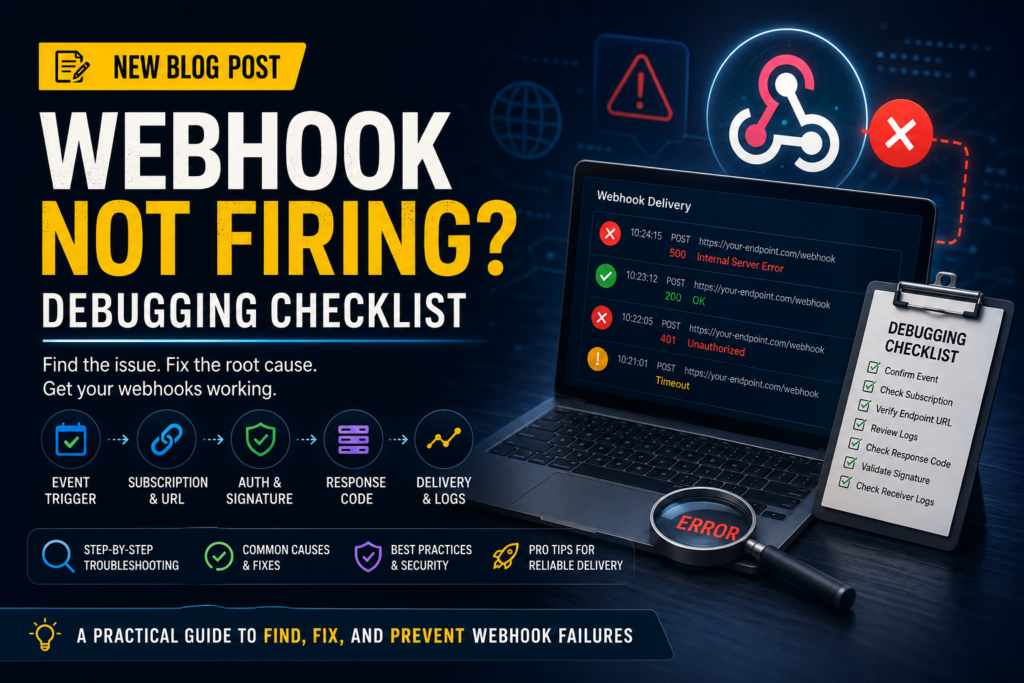
When a webhook is not firing, the problem can be the event trigger, subscription settings, endpoint URL, authentication, response code, delivery retry, or receiver code.
What This Solves
This guide helps you identify whether the webhook problem is on the sending platform, receiving endpoint, network layer, or application code.
Who This Is For
- Developers and technical operators
- SEO, automation, or e-commerce teams
- Site owners who need a repeatable workflow
- Editors or builders documenting technical systems
Short Answer
Confirm the event actually happened, check the webhook subscription, review delivery logs, inspect response codes, validate authentication, and check receiver application logs.
When This Happens
Webhook failures happen when the sender does not trigger the event, cannot reach the endpoint, receives a bad response, or delivers a payload the receiver rejects.
Root Causes
| Symptom | Likely Cause | What to Check |
|---|---|---|
| No delivery log | Event not triggered or subscribed | Webhook event settings |
| 404 in logs | Wrong endpoint URL | Route, deployment, trailing slash |
| 401/403 in logs | Auth or signature failure | Secret, token, signature |
| 500 in logs | Receiver code error | Application logs |
Step-by-Step Fix or Implementation
- Confirm the triggering event happened.
- Check selected webhook events.
- Verify the endpoint URL is public and correct.
- Send a test webhook if available.
- Review delivery logs and HTTP response codes.
- Check receiver logs and exceptions.
- Validate signature logic.
- Return a fast 2xx response and process heavy work asynchronously.
Practical Example
Event happened?
  -> Subscription active?
      -> Delivery log exists?
          -> Response code 2xx?
              -> Receiver processed payload?
This flow prevents you from debugging application code before confirming the provider sent anything.
Common Mistakes
- Testing the wrong environment.
- Using a local endpoint that is not public.
- Doing slow work before responding.
- Ignoring signature verification failures.
- Not checking delivery logs.
Risks and Limitations
- Webhooks can deliver duplicate events.
- Some providers retry only for a limited time.
- Public endpoints should validate signatures.
- Payloads should not be trusted without validation.
Security and Validation Notes
- Do not expose API keys, tokens, or private customer data in screenshots, frontend code, public logs, or repositories.
- Use least-privilege access and human approval for destructive actions.
- Test with safe sample data before connecting production systems.
- Monitor failures after deployment instead of assuming the first successful test is enough.
Testing Checklist
- [ ] Event subscription active
- [ ] Correct environment selected
- [ ] Endpoint public
- [ ] Test delivery returns 2xx
- [ ] Receiver logs checked
- [ ] Signature validation passes
- [ ] Duplicate events handled
Recommended Setup
Use a public HTTPS endpoint, validate signatures, store event IDs for idempotency, return a fast 2xx response, and process slow work in a queue.
Related Systems
- API Error Handling and Retry Logic
- n8n Workflow Error Handling
- OAuth Redirect URI Mismatch: Causes and Fixes
FAQ
What if there is no delivery log?
The event may not be subscribed, the event may not have happened, or the webhook may be configured in the wrong environment.
Should webhooks be processed before response?
Usually no. Respond quickly and process heavier work afterward.
Can webhooks send duplicates?
Yes. Your receiver should handle duplicate event IDs safely.
Official documentation to check
Platform behavior can change. Before relying on this guide for a production workflow, verify current details with the relevant official documentation or primary reference below.