OAuth Token Refresh Runbook for Long-Lived Integrations
Last reviewed: 2026-05-10. This is a deep EskiLab implementation guide for OAuth token refresh runbook. It is written for teams that need operational reliability, not a surface-level definition.
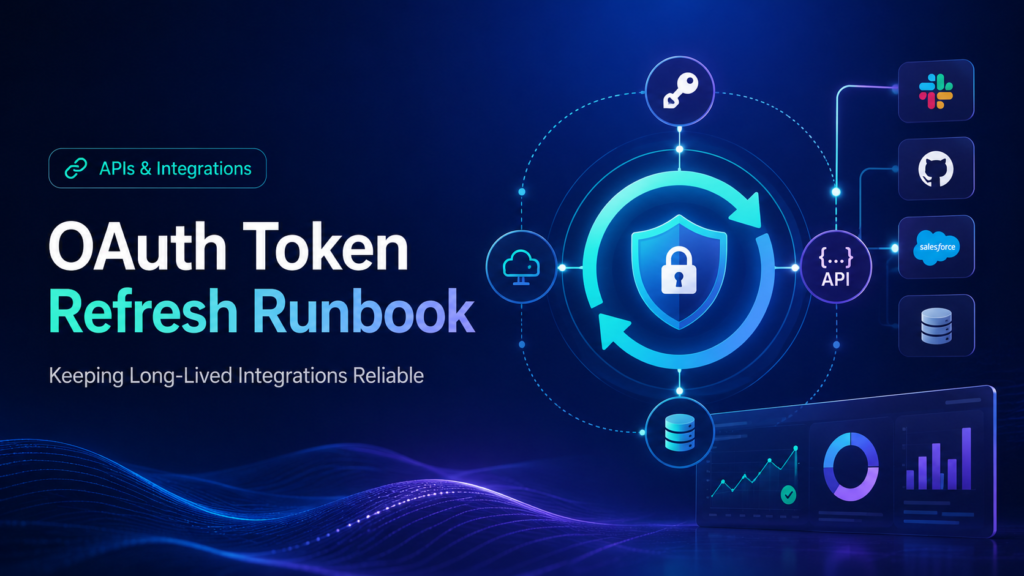
OAuth is easy to test once and hard to operate for months. This article focuses on the runbook after the first successful authorization.
What this guide is designed to do
This guide helps teams keep OAuth integrations working after access tokens expire, refresh tokens rotate, users revoke consent, or secrets change. It focuses on the operating decisions behind the system: ownership, data contracts, failure modes, QA scenarios, monitoring, and the point where automation should stop and review should begin.
Who should use this
Developers, agencies, saas operators, wordpress/shopify teams, and automation builders managing connected accounts should use this as a production planning and QA reference. It is especially relevant when the workflow affects customers, analytics, public pages, revenue, product data, or long-running automation.
Executive summary
A reliable OAuth token refresh runbook system defines the operating contract, validates inputs before action, tests failure modes, monitors drift after launch, and documents ownership so the workflow can be maintained without guesswork.
Separate authorization success from operational reliability
An OAuth integration is not finished when the first access token works. That moment only proves the initial authorization flow. Production reliability depends on refresh behavior, revoked consent handling, scope change planning, storage safety, connection ownership, and alerting.
Many failures happen weeks later when nobody remembers how the integration was connected. The access token expires, the refresh token is invalid, the user revoked access, the app secret changed, or the provider tightened redirect rules. A runbook prevents those issues from becoming emergency debugging sessions.
Token storage and ownership model
Access tokens and refresh tokens should live in server-side storage or a managed secret store. Do not put refresh tokens into frontend code, public workflow notes, screenshots, shared spreadsheets, or unredacted logs. A refresh token is not just a configuration value; it can represent ongoing access to a user or business account.
Assign an owner for each connected app. The owner does not have to be the only person with access, but someone must be responsible for reauthorization, secret rotation, scope updates, and incident response.
Refresh race control
Parallel workers can create a refresh race. Worker A refreshes the token, worker B refreshes the old token, and one result overwrites the other. Use a lock, single credential service, or compare-and-swap behavior so only one refresh operation owns the credential update at a time.
A 401 response should not trigger unlimited refresh attempts. A safe system allows a controlled refresh attempt, retries the original request once, and then moves to a failed connection state with an alert.
OAuth failure diagnosis
| Symptom | Likely cause | Runbook response |
|---|---|---|
| Works yesterday, fails today | Expired access token or invalid refresh token | Check refresh logs and connection state |
| Refresh token invalid | Consent revoked, token rotated, or provider policy | Move connection to reauthorization required |
| Only production fails | Wrong client secret or redirect URI | Compare environment-specific OAuth settings |
| Intermittent 401s | Concurrent refresh race | Add token refresh lock |
| Scope error | Permission changed or new endpoint needs scope | Plan consent update |
Connection states
| State | Meaning | Allowed action |
|---|---|---|
| healthy | Access token valid or refresh working | Run scheduled jobs |
| refreshing | Credential update in progress | Hold parallel refresh attempts |
| reauthorization_required | User/admin must reconnect | Pause dependent jobs |
| scope_update_required | New permission needed | Request consent intentionally |
| disabled | Security or ownership issue | Block workflow until reviewed |
Implementation workflow
- Document provider name, OAuth app, client ID, redirect URI, scopes, token endpoint, and connected account owner.
- Store tokens in secure server-side storage and redact them from all logs.
- Track access token expiry and refresh before scheduled jobs depend on it.
- Use a lock or credential service to prevent parallel refresh races.
- Classify failures as expired token, revoked consent, scope issue, provider outage, or local configuration error.
- Create a reauthorization flow that tells the owner exactly what to reconnect.
- Test secret rotation in staging before rotating production credentials.
- Monitor refresh success rate, refresh failure rate, and reauthorization-required connections.
Common mistakes that make this system shallow
- Treating OAuth setup as done after the first successful API call.
- Saving refresh tokens inside automation step notes.
- Using the same OAuth app and redirect URI for every environment.
- Refreshing tokens in multiple workers at the same time.
- Retrying a scope error as if it were a temporary outage.
- Not knowing who can reconnect the account.
Pre-production QA checklist
- [ ] Refresh token is never exposed in frontend code.
- [ ] Expired access token triggers exactly one safe refresh path.
- [ ] Concurrent refresh attempts are controlled.
- [ ] Revoked consent creates a clear reconnect state.
- [ ] Scope errors are not retried endlessly.
- [ ] Client secret rotation has a rollback plan.
Monitoring signals after launch
Do not judge the system only by whether the first test worked. Use ongoing monitoring to detect drift, silent failure, and operational risk.
- refresh success rate
- reauthorization-required count
- scope error count
- token age
- jobs paused due to credential state
Incident review questions
- What exact input, event, URL, record, prompt, or action triggered the failure?
- Was the failure caused by source data, mapping, permissions, timing, platform behavior, or missing validation?
- Did the system fail safely, or did it create a downstream side effect?
- Was the issue visible in logs or only discovered by a user?
- What rule, test case, monitor, or approval step should be added so this failure is easier to catch next time?
Official documentation to check
Recommended operating standard
For OAuth token refresh runbook, the minimum operating standard is: define the contract, test the failure modes, monitor the output, document the owner, and keep a rollback or review path. Anything less may work in a demo but will be fragile in production.
FAQ
Why is OAuth token refresh runbook not just a one-time setup?
Because the surrounding systems change: APIs, tools, data, user behavior, plugins, prompts, feeds, and business rules. A one-time setup without monitoring becomes stale.
What is the first thing to test?
Test the failure mode that would create the most business damage: duplicate writes, wrong public pages, bad tracking, invalid feed data, unsafe AI action, or broken indexation.
Should this be automated completely?
Only low-risk, reversible steps should be fully automated. Anything that changes customer data, sends messages, publishes pages, affects payments, or modifies important SEO signals should have review, logging, or staged rollout.
How do I know the article's system is deep enough to publish?
It should include a real operating model: data fields or rules, failure modes, QA scenarios, monitoring signals, mistakes, and official documentation references.