Disclosure: EskiLab is reader-supported. Some links below may be affiliate links. We only list tools we consider credible for the use case, and an affiliate relationship does not change a tool’s placement or assessment. Pricing and features change often—verify current details on the vendor’s site before buying.
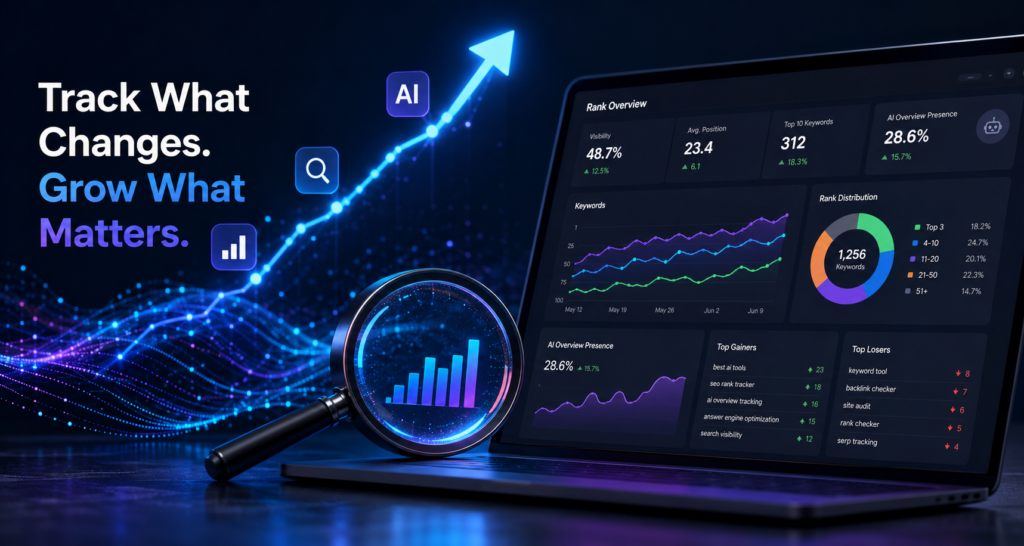
Rank tracking sounds simple, but in 2026 two things complicate it: AI features bolted onto trackers (some useful, some not) and the rise of AI Overviews and answer engines that classic position tracking misses. This guide compares rank trackers by what matters—accuracy, cost per keyword, and whether they capture AI surfaces—so you can pick one without overpaying for a full SEO suite you do not need.
Short answer: If you only need rank tracking, a dedicated tracker is far cheaper than a full suite. Pick on accuracy, cost per tracked keyword, and whether it now tracks AI Overviews and answer engines. Suites like Semrush and Ahrefs include tracking but cost more; standalone trackers win on price for this one job.
Who this is for
- SEOs and site owners who mainly need accurate position tracking
- Agencies tracking many keywords across many clients on a budget
- Teams that already have research tools and just need monitoring
- Anyone wanting to track AI Overview and answer-engine visibility too
How we compared these tools
For a single-job tool, value and accuracy decide it. We weighted:
- Tracking accuracy and update frequency
- Cost per tracked keyword and how it scales
- Whether it tracks AI Overviews and answer engines, not just blue links
- Local and device-level tracking if you need it
- Whether AI features add real value or just a summary widget
Quick comparison
| Option | Best for | AI/AIO tracking | Cost angle |
|---|---|---|---|
| Dedicated rank trackers | Tracking-only needs | Increasingly yes | Lowest per keyword |
| Semrush / Ahrefs (built-in) | Suite users | Adding AI tracking | Bundled, pricier |
| Google Search Console | Real own-site data | N/A (your data) | Free |
| Agency-focused trackers | Many clients | Varies | Scales by volume |
Treat the table as a starting filter, not a verdict. The right pick depends on your stack, budget, and how much you want to maintain.
The options, and when each one fits
Dedicated rank trackers
Standalone trackers exist to do one job accurately and cheaply. If position tracking is all you need, they cost a fraction of a full suite per tracked keyword, and most now add AI Overview tracking. This is the right pick when you already have research tools or do not need them.
Best when: tracking is your only need and you want the lowest cost per keyword. Watch out for: feature depth varies; confirm AI-surface tracking and update frequency.
Suite-built tracking (Semrush, Ahrefs)
If you already pay for a suite, its built-in tracker means one login and data alongside your research. Convenient, but you are paying suite prices, and buying a suite just for tracking is poor value.
Best when: you already run the suite for research. Watch out for: do not buy a whole suite only to track rankings—a standalone tool is cheaper.
Google Search Console
GSC reports your real average positions and impressions for the queries you actually rank for—free, and straight from Google. It is not a substitute for tracking specific target keywords daily, but it is an honest baseline and catches movements a tracker priced per keyword might not cover.
Best when: you want free, real position data for your own site. Watch out for: it shows averages over time, not precise daily positions for chosen keywords.
How to choose: a simple decision framework
- Confirm tracking is genuinely the only job you need—if so, skip the suite.
- Count your keywords and compare tools on cost per tracked keyword.
- Require AI Overview / answer-engine tracking if those surfaces matter to you.
- Cross-check a sample against Google Search Console for sanity.
- Start small, confirm accuracy, then scale the keyword count.
Common mistakes
- Buying a full suite when you only need rank tracking
- Ignoring AI Overview tracking while AI surfaces eat clicks
- Tracking hundreds of vanity keywords you will never act on
- Trusting one tool’s positions without cross-checking GSC
- Paying for daily updates on keywords that move slowly
Risks and limitations
- Tracked positions are sampled and can differ from what users see
- AI Overviews change the SERP, so classic position can mislead
- Per-keyword pricing scales fast with large keyword sets
- Local and personalized results vary by location and device
- Vendor pricing and AI-tracking coverage change—recheck periodically
Selection checklist
- [ ] Tracking is genuinely my only need
- [ ] I compared cost per tracked keyword across options
- [ ] The tool tracks AI Overviews / answer engines if I need it
- [ ] I cross-checked a sample against GSC
- [ ] I am tracking actionable keywords, not vanity ones
- [ ] Update frequency matches how fast my keywords move
Recommended setup
If rank tracking is your only need, use a dedicated tracker—it costs far less per keyword than a full suite—and require AI Overview tracking if those surfaces matter to you. Keep Google Search Console alongside it as a free, honest baseline and cross-check a sample of positions. Track only keywords you will act on, match update frequency to how fast they move, and avoid buying a whole suite just to monitor rankings.
Related guides
- Best AI SEO Tools in 2026
- Best Ahrefs Alternatives in 2026 (Free + AI)
- Best AI Search Optimization (GEO/AEO) Tools in 2026
FAQ
Do I need a paid rank tracker or is GSC enough?
Google Search Console gives free, real average positions for your own site and is a strong baseline. A paid tracker adds precise daily tracking for specific target keywords, competitor tracking, and often AI Overview monitoring—useful once you actively manage rankings.
Should rank trackers track AI Overviews?
Increasingly, yes. As AI Overviews and answer engines capture clicks, tracking only classic positions misses part of the picture. If those surfaces matter to your niche, require this feature.
Is a standalone tracker better than a suite?
For tracking alone, a standalone tool is far cheaper per keyword. A suite makes sense only if you also use its research and audit features. Do not buy a suite just to track rankings.
How many keywords should I track?
Only the ones you will act on. Tracking hundreds of vanity terms inflates cost without informing decisions. Focus on keywords tied to pages and goals you are actively working.