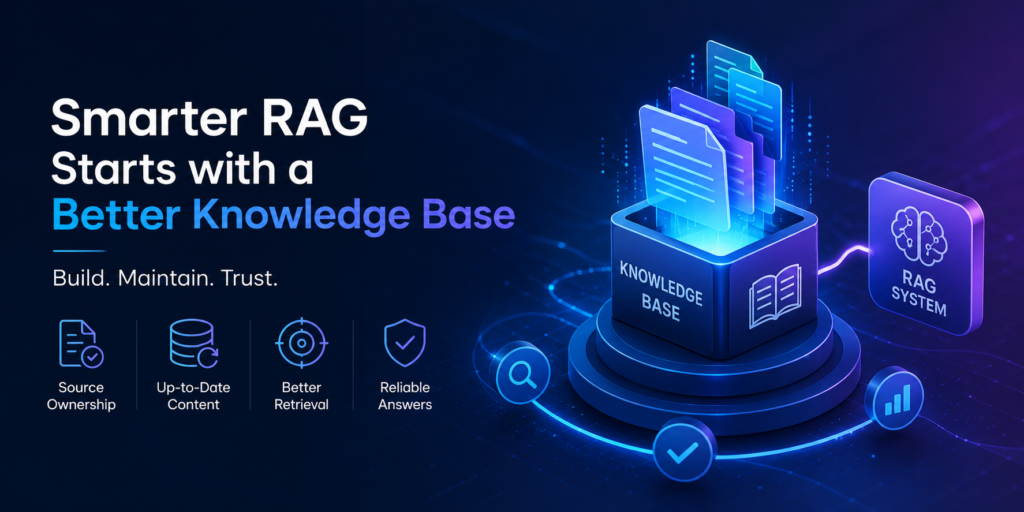
Knowledge Base Maintenance System for RAG
Last reviewed: 2026-05-10. This EskiLab guide is written as a practical technical playbook, not a generic overview. It is designed to help teams build, test, fix, and monitor a working system around RAG knowledge base maintenance.
If your team is dealing with RAG systems returning outdated, duplicated, irrelevant, or incomplete answers because the knowledge base is not maintained, the expensive mistake is usually not the first error. The expensive mistake is having no repeatable process for diagnosis, testing, ownership, and monitoring. This guide gives you a system you can adapt before the problem becomes a production habit.
What this solves
This guide helps with RAG systems returning outdated, duplicated, irrelevant, or incomplete answers because the knowledge base is not maintained. It focuses on practical implementation decisions: what to define, what to log, what to test, what to avoid, and how to know whether the system is actually working after deployment.
Who this is for
This playbook is for AI builders, support teams, documentation owners, product teams, and operators using retrieval-augmented generation for internal or customer-facing answers. You do not need a large engineering team to use it, but you do need a clear owner, a testing habit, and a willingness to document decisions instead of leaving them inside one person’s head.
Short answer
A RAG knowledge base maintenance system defines source ownership, update frequency, chunking rules, embedding refresh triggers, deletion handling, retrieval evaluation, and answer quality review.
When this problem usually happens
The issue usually appears when a workflow grows from a one-off setup into something the business depends on. A manual workaround may feel fine at low volume, but once traffic, records, events, or team members increase, undocumented assumptions become failure points.
Common triggers include platform updates, API version changes, new content batches, new product catalogs, automation retries, AI tool expansion, schema changes, or a new team member editing a workflow without knowing the original design assumptions.
Root causes and fast diagnosis
| Symptom | Likely cause | What to check first |
|---|---|---|
| Outdated answers | old documents remain indexed | Track source freshness and removal rules. |
| Irrelevant retrieval | chunks are too broad or poorly labeled | Improve chunking and metadata. |
| Contradictory answers | duplicate sources disagree | Define source priority and canonical documents. |
| No measurable quality | retrieval is not tested | Use evaluation queries and expected source checks. |
Use this table as the first diagnostic layer. Do not jump directly to rewriting the whole system. In most cases, the fastest path is to isolate whether the failure comes from input data, configuration, permissions, transformation logic, timing, or monitoring gaps.
Step-by-step implementation system
- List approved source types: docs, policies, product pages, tickets, manuals, or database records.
- Assign an owner and refresh schedule to each source group.
- Define chunk size, overlap, metadata fields, and title context rules.
- Remove or archive expired documents before re-embedding.
- Rebuild embeddings after material source changes, not randomly.
- Create evaluation questions that represent real user queries.
- Track whether retrieval returns the expected source before judging answer quality.
- Monitor no-answer rate, source freshness, duplicate source conflicts, and user feedback.
The important part is not only completing the steps once. The goal is to make the system repeatable. A future teammate should be able to read the workflow, understand the expected input and output, run a safe test, and know when to escalate.
Example setup
A support RAG system should prioritize current help center articles over old Slack discussions. If a policy changes, the old document should be removed or marked expired before the new document is embedded.
A good example setup has three layers: a safe test case, a production rule, and a monitoring rule. The test case proves the logic works. The production rule explains when it is allowed to run. The monitoring rule tells the team when the system has drifted away from expected behavior.
Common mistakes
- Embedding every document without source approval.
- Ignoring deletion and version history.
- Using chunks with no title or metadata context.
- Evaluating only the final answer and not retrieval quality.
- Letting old and new policies coexist without priority.
- Never reviewing low-confidence queries.
Risks and limitations
- Outdated knowledge can produce harmful or misleading responses.
- Sensitive internal content can be exposed if access control is not enforced.
- Poor chunking can make a good model look unreliable.
- Embedding costs and index size can grow without pruning.
- A RAG system needs ongoing maintenance, not one-time setup.
These risks do not mean the system should not be used. They mean the system needs boundaries. EskiLab’s standard is to define safe operating limits before scaling: what the workflow can do, what it cannot do, what requires review, and what should trigger an alert.
Testing checklist
Before treating this as production-ready, confirm the following:
- [ ] Each source group has an owner.
- [ ] Expired documents are removed or marked inactive.
- [ ] Chunks include useful metadata.
- [ ] Evaluation queries test real use cases.
- [ ] Expected sources are retrieved for critical questions.
- [ ] Freshness and no-answer metrics are reviewed.
Recommended setup
For most small teams, the recommended setup is to start with a controlled version of RAG knowledge base maintenance, add validation before production actions, keep logs small but useful, monitor the system weekly, and update the playbook whenever a real failure teaches you something new.
Official documentation to check
Related systems
- RAG Pipeline Architecture for Beginners
- AI Agent Evaluation Framework
- Prompt Injection Guardrails for AI Agents
FAQ
Is RAG knowledge base maintenance a one-time setup?
No. Treat RAG knowledge base maintenance as an operating system that needs review after platform updates, traffic changes, schema changes, or workflow failures.
What should I test first?
Start with the smallest safe test case, confirm the expected output, then test edge cases, failures, duplicates, and permission boundaries.
Can this system guarantee results?
No. It can reduce risk and improve consistency, but technical systems still depend on data quality, implementation accuracy, monitoring, and maintenance.
Who should own the workflow?
Assign one operational owner for the workflow, one technical owner for implementation, and one reviewer for quality or business impact when the system affects customers, publishing, or revenue.
How often should this be reviewed?
Review high-impact workflows monthly and after every major CMS, API, theme, plugin, model, or platform change.