
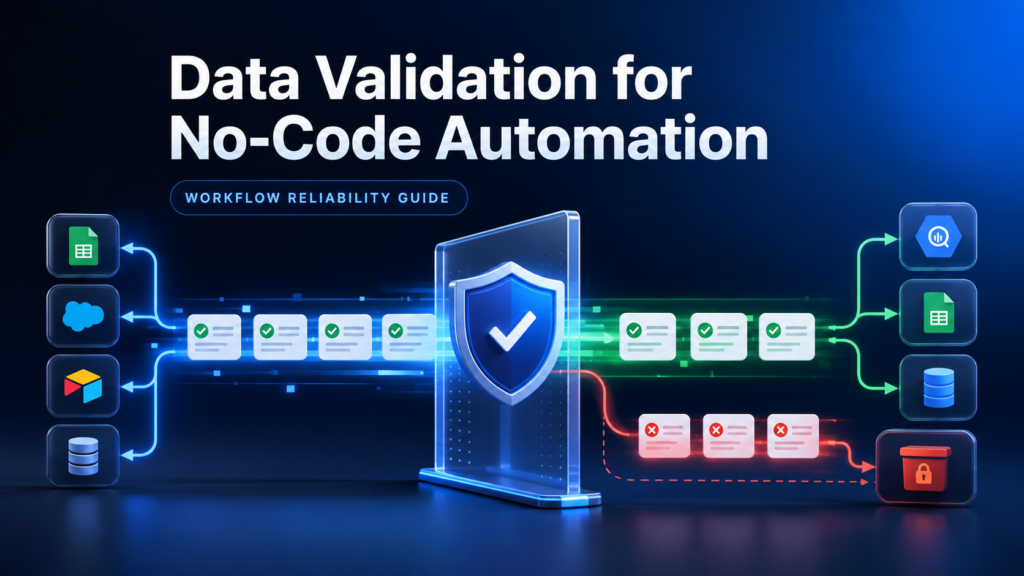
Data Validation Layer for No-Code Automation Workflows
Last reviewed: 2026-05-10. This is a deep EskiLab implementation guide for data validation layer for no-code automation. It is written for teams that need operational reliability, not a surface-level definition.
No-code tools connect systems quickly, but speed without validation creates quiet data corruption.
What this guide is designed to do
This guide helps teams prevent no-code workflows from pushing bad, incomplete, duplicated, or malformed data into business systems. It focuses on the operating decisions behind the system: ownership, data contracts, failure modes, QA scenarios, monitoring, and the point where automation should stop and review should begin.
Who should use this
Operations teams, marketers, agencies, e-commerce operators, crm managers, and no-code builders using make, zapier, n8n, airtable, sheets, or crms should use this as a production planning and QA reference. It is especially relevant when the workflow affects customers, analytics, public pages, revenue, product data, or long-running automation.
Executive summary
A reliable data validation layer for no-code automation system defines the operating contract, validates inputs before action, tests failure modes, monitors drift after launch, and documents ownership so the workflow can be maintained without guesswork.
Validation is not the same as filtering
A filter usually decides whether a bundle continues. A validation layer explains why a record is valid or invalid, where invalid records go, how failures are logged, and how the team learns from them. This difference matters when workflows affect CRM quality, customer messages, reports, product data, or order operations.
Treat validation as a small contract between source and destination. The source promises certain fields and formats. The destination requires certain fields and rules. The validation layer sits between them and prevents bad records from becoming permanent business data.
Quarantine path design
Invalid records should not disappear. Send them to a quarantine table, review queue, or error database with the source ID, workflow name, validation reason, timestamp, and safe summary. This creates a learning loop. If many records fail for the same reason, you can fix the source form, mapping, or business rule.
Quarantine access should be limited if records contain customer information. Do not dump full payloads into public Slack channels or shared sheets unless those channels are approved for that data.
Overwrite prevention
One of the most damaging automation bugs is overwriting good destination data with blank or low-quality source data. Use rules such as 'do not overwrite non-empty destination values with blank source fields' and 'manual values beat automated values unless the source is verified'.
Validation rule design
| Field type | Validation rule | Failure handling |
|---|---|---|
| Must match email pattern and not be disposable if required | Quarantine lead | |
| Phone | Normalize format and require country context | Flag for review |
| Status | Must be one of approved values | Reject update |
| Currency | Numeric value plus currency code | Pause financial workflow |
| External ID | Required for update operations | Block write |
No-code destination risk
| Destination | Bad data risk | Extra control |
|---|---|---|
| CRM | Duplicate or wrong lead stage | Duplicate lookup and status validation |
| Shopify | Wrong product fields | SKU and handle checks |
| Email tool | Unwanted message | Consent validation |
| Spreadsheet | Bad reporting | Type and required field checks |
| Ad platform | Bad audience or conversion signal | Consent and event validation |
Implementation workflow
- List all destination fields that affect business decisions or customer experience.
- Mark fields as required, optional, derived, ignored, or review-only.
- Define validation rules for type, format, allowed values, uniqueness, and freshness.
- Add duplicate checks before create actions.
- Route invalid records to a quarantine path with reason codes.
- Prevent blank or weak source data from overwriting verified destination data.
- Log validation counts by workflow run.
- Review quarantine records weekly and adjust source forms or mappings.
Common mistakes that make this system shallow
- Assuming the connector validates data for you.
- Using one filter as the whole validation strategy.
- Silently skipping invalid records.
- Letting blank source fields overwrite destination data.
- Not checking duplicate identity before create actions.
- Never reviewing quarantined records.
Pre-production QA checklist
- [ ] Required fields are documented.
- [ ] Allowed values are enforced.
- [ ] Duplicates are checked before create actions.
- [ ] Invalid records go to quarantine.
- [ ] Failure reasons are logged.
- [ ] Overwrite rules are defined.
Monitoring signals after launch
Do not judge the system only by whether the first test worked. Use ongoing monitoring to detect drift, silent failure, and operational risk.
- validation failure rate
- quarantine volume
- duplicate prevention count
- blank overwrite prevention count
- manual review resolution time
Incident review questions
- What exact input, event, URL, record, prompt, or action triggered the failure?
- Was the failure caused by source data, mapping, permissions, timing, platform behavior, or missing validation?
- Did the system fail safely, or did it create a downstream side effect?
- Was the issue visible in logs or only discovered by a user?
- What rule, test case, monitor, or approval step should be added so this failure is easier to catch next time?
Official documentation to check
Recommended operating standard
For data validation layer for no-code automation, the minimum operating standard is: define the contract, test the failure modes, monitor the output, document the owner, and keep a rollback or review path. Anything less may work in a demo but will be fragile in production.
FAQ
Why is data validation layer for no-code automation not just a one-time setup?
Because the surrounding systems change: APIs, tools, data, user behavior, plugins, prompts, feeds, and business rules. A one-time setup without monitoring becomes stale.
What is the first thing to test?
Test the failure mode that would create the most business damage: duplicate writes, wrong public pages, bad tracking, invalid feed data, unsafe AI action, or broken indexation.
Should this be automated completely?
Only low-risk, reversible steps should be fully automated. Anything that changes customer data, sends messages, publishes pages, affects payments, or modifies important SEO signals should have review, logging, or staged rollout.
How do I know the article's system is deep enough to publish?
It should include a real operating model: data fields or rules, failure modes, QA scenarios, monitoring signals, mistakes, and official documentation references.