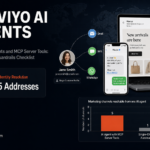

Anthropic, Microsoft, and Okta are all now shipping support for MCP’s Enterprise-Managed Authorization extension, which went stable alongside the 2026-07-28 protocol revision. The pitch is simple: instead of every MCP server issuing and validating its own credentials, an organization’s identity provider becomes the single point of login for every connected server an employee or agent touches. The implementation work behind that pitch is not simple, and skipping steps here creates exactly the kind of access sprawl centralized auth was supposed to prevent.
The Problem EMA Solves
Before this extension, a typical organization running five or six internal MCP servers — one for the ticketing system, one for internal docs, one for a deployment tool — ended up with five or six separate API keys or tokens per user, each with its own rotation schedule, its own revocation process, and its own blind spot when someone left the company. Enterprise-Managed Authorization replaces that with a model where the identity provider issues a token once, and each MCP server validates that token against a shared trust root rather than maintaining its own user database.
That only helps if the servers are configured to actually defer to the identity provider instead of layering their own auth on top of it. A server that accepts an EMA token but still maintains a local allow-list defeats most of the benefit.
Setup Sequence
| Step | What Happens | Common Mistake |
|---|---|---|
| 1. Register the identity provider | The IdP (Okta, Entra ID, or equivalent) is registered as the trust root for the organization’s MCP servers | Registering per-server instead of at the org level, which recreates the fragmentation the extension exists to remove |
| 2. Define scopes per server | Each MCP server declares what scopes it needs — read-only ticket access, write access to a deploy tool, etc. | Requesting broad scopes “to be safe,” which turns a single compromised token into org-wide access |
| 3. Map user groups to scopes | IdP groups are mapped to the scopes defined in step 2, not to individual users | Assigning scopes to individual accounts, which silently breaks when people change roles or teams |
| 4. Issue and test tokens | A user authenticates once and receives a token usable across every registered server | Not testing token expiry and refresh behavior before rollout — this is where session-based auth bugs resurface |
| 5. Turn on centralized audit logging | Every server reports token validation events back to a shared log | Leaving per-server logging as the only record, which recreates the visibility gap during an incident |
Migrating Off Per-Server API Keys Without an Outage
Run both auth methods in parallel for a defined window rather than cutting over in one step. Keep existing per-server API keys valid, add EMA token validation as an additional accepted credential, and only revoke the old keys once you can confirm — from the centralized audit log, not from assumption — that every active user and every automated integration has successfully authenticated with the new token at least once. Automated integrations and scheduled jobs are the most common thing left behind in this kind of migration, since they don’t generate a login event a human would notice failing.
What This Doesn’t Solve
Centralized authorization controls who can reach a server and with what scope. It does not replace tool-level guardrails on what an agent does once it’s authenticated and holding a valid token with a given scope — a token scoped to “write access to the deploy tool” still needs the deploy tool itself to validate the specific action being requested. Treat EMA as solving the login and revocation problem, not the authorization-logic problem inside each tool.