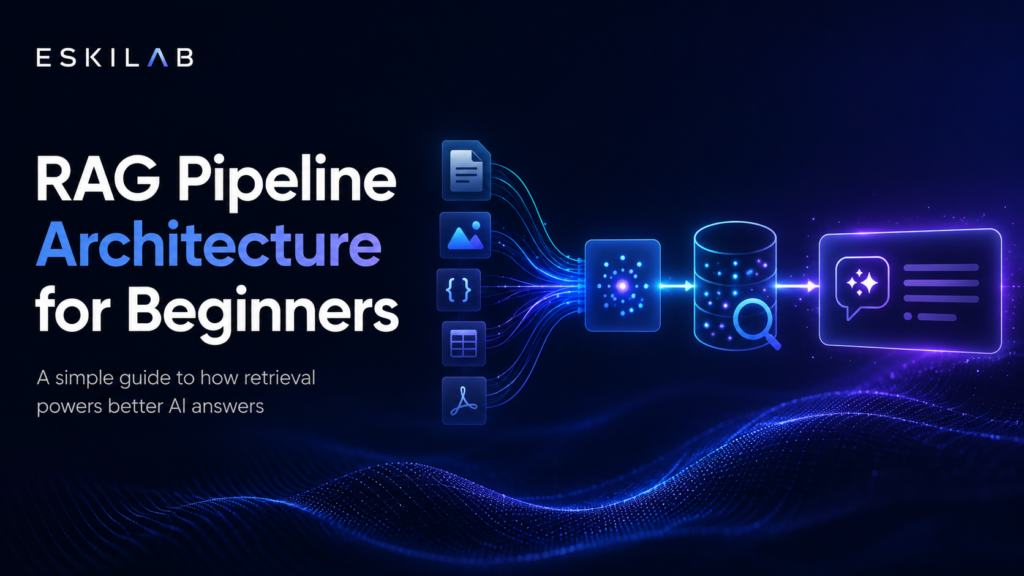
A RAG pipeline connects a language model to a knowledge base so the system can retrieve relevant information before generating an answer. The quality depends on the data pipeline, not only the model.
What This Solves
This guide explains ingestion, cleaning, chunking, embeddings, indexing, retrieval, prompt construction, answer generation, evaluation, and monitoring.
Who This Is For
- Developers and technical operators
- SEO, automation, or e-commerce teams
- Site owners who need a repeatable workflow
- Editors or builders documenting technical systems
Short Answer
Collect documents, clean them, split them into chunks, create embeddings, store them in a searchable index, retrieve relevant chunks for a query, and send those chunks to the model with instructions.
When This Happens
RAG is useful when the model needs to answer from private, changing, or domain-specific knowledge rather than only general training.
Root Causes
| Symptom | Likely Cause | What to Check |
|---|---|---|
| Answer misses known info | Retrieval failure | Chunking and index quality |
| Wrong context used | Poor ranking | Retriever settings |
| Outdated answer | Stale knowledge base | Refresh schedule |
| System slow | Too much context | Chunk count and filters |
Step-by-Step Fix or Implementation
- Define knowledge sources.
- Clean and normalize documents.
- Split content into useful chunks.
- Create embeddings.
- Store chunks with metadata.
- Retrieve relevant chunks for each query.
- Build the prompt with retrieved context.
- Generate the answer.
- Evaluate answers against test questions.
- Monitor retrieval quality.
Practical Example
Documents -> Cleaning -> Chunking -> Embeddings -> Vector Index -> Retrieval -> Prompt With Context -> LLM Answer -> EvaluationMost RAG failures start before the model: messy documents, weak chunks, bad metadata, or poor retrieval settings.
Common Mistakes
- Uploading messy documents without cleaning.
- Using chunks without testing.
- Ignoring metadata filters.
- Testing generation but not retrieval.
- No refresh process.
- No evaluation set.
Risks and Limitations
- RAG does not guarantee factual answers.
- Poor source data creates poor results.
- Private data may require privacy and access controls.
- Evaluation is required before production use.
Security and Validation Notes
- Do not expose API keys, tokens, or private customer data in screenshots, frontend code, public logs, or repositories.
- Use least-privilege access and human approval for destructive actions.
- Test with safe sample data before connecting production systems.
- Monitor failures after deployment instead of assuming the first successful test is enough.
Testing Checklist
- [ ] Sources approved
- [ ] Chunking tested
- [ ] Metadata stored
- [ ] Retrieval evaluated
- [ ] Answers grounded
- [ ] Refresh plan exists
- [ ] Sensitive data reviewed
Recommended Setup
Start small with one trusted knowledge source, clear chunking, metadata filters, a test question set, and monitoring for failed or ungrounded answers.
Related Systems
- AI Agent Evaluation Framework
- AI Automation Safety Checklist
- Prompt Injection Guardrails for AI Systems
FAQ
Is RAG the same as fine-tuning?
No. RAG retrieves external knowledge at answer time.
What matters most?
Source quality, chunking, retrieval, metadata, and evaluation.
Should every document go in RAG?
No. Use approved, useful, current, permission-safe documents.
Official documentation to check
Platform behavior can change. Before relying on this guide for a production workflow, verify current details with the relevant official documentation or primary reference below.