
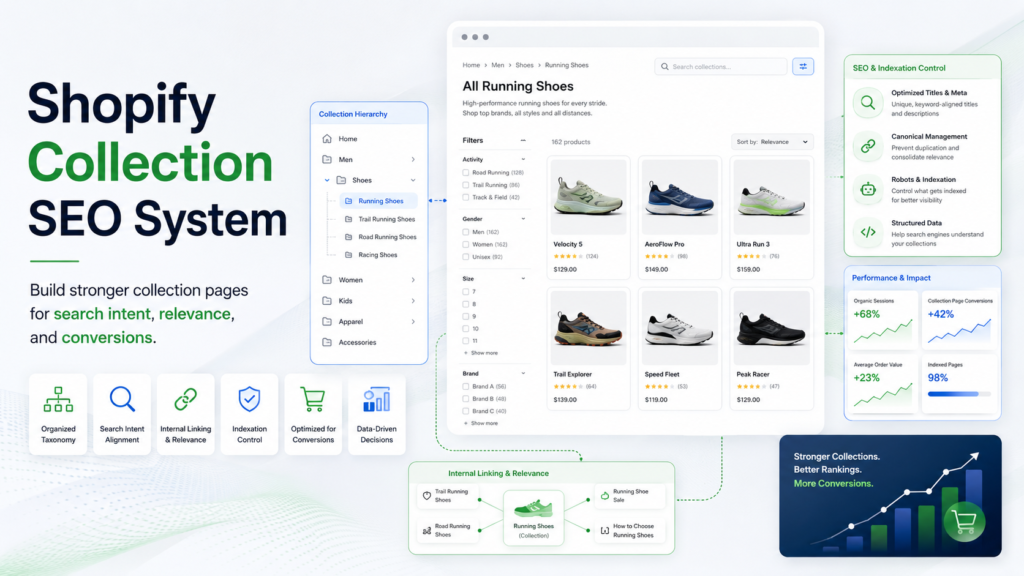
Shopify collection pages are often the strongest SEO and conversion pages on an e-commerce site, but they need structure: clean taxonomy, useful copy, internal links, product relevance, filters, and indexation control.
What This Solves
This guide helps improve collection pages without creating thin, duplicate, or confusing category pages.
Who This Is For
- Developers and technical operators
- SEO, automation, or e-commerce teams
- Site owners who need a repeatable workflow
- Editors or builders documenting technical systems
Short Answer
Create collections around real shopping intent, write useful collection copy, keep product relevance high, link related collections and guides, control duplicate filtered URLs, and update collections as inventory changes.
When This Happens
Collection SEO problems happen when stores create too many thin collections, use duplicate descriptions, allow messy filter URLs to index, or add unrelated products to category pages.
Root Causes
| Symptom | Likely Cause | What to Check |
|---|---|---|
| Impressions low clicks | Weak title/meta | SEO fields |
| Ranks poorly | Thin copy | Unique intro |
| Similar pages compete | Keyword overlap | Collection map |
| Filter URLs indexed | Indexation issue | Canonical/robots |
| Products mismatch | Merchandising issue | Product selection |
Step-by-Step Fix or Implementation
- Map main shopping intents.
- Merge overlapping collections.
- Write a unique intro.
- Add relevant products only.
- Link parent and child collections.
- Add buying guides where useful.
- Review titles and meta descriptions.
- Check filtered URLs.
- Refresh collections with inventory changes.
Practical Example
| Element | Good Setup | Weak Setup |
|---|---|---|
| Intent | Clear shopping need | Random grouping |
| Products | Relevant and available | Mixed items |
| Copy | Useful buying context | Generic paragraph |
| Links | Parent/child links | No related links |
| Indexation | Clean rules | Messy filters indexed |
Common Mistakes
- Creating collections for every minor keyword.
- Duplicate descriptions.
- Indexing low-value filtered URLs.
- Letting sold-out products dominate.
- Changing URLs without redirects.
Risks and Limitations
- Themes and apps handle filters differently.
- Collection SEO cannot fix weak product availability alone.
- URL changes can create 404s.
- Duplicate intent can cause cannibalization.
Security and Validation Notes
- Do not expose API keys, tokens, or private customer data in screenshots, frontend code, public logs, or repositories.
- Use least-privilege access and human approval for destructive actions.
- Test with safe sample data before connecting production systems.
- Monitor failures after deployment instead of assuming the first successful test is enough.
Testing Checklist
- [ ] Collection intent clear
- [ ] Duplicates merged
- [ ] Copy unique
- [ ] Products relevant
- [ ] SEO title filled
- [ ] Meta description filled
- [ ] Internal links added
- [ ] Filtered URLs checked
Recommended Setup
Start with fewer stronger collections, write helpful copy, link collections logically, and monitor Search Console for duplicate or low-value indexed URLs.
Official Documentation to Check
Related Systems
- Shopify 404 Redirect Mapping System
- E-commerce CRO Audit Checklist
- Programmatic SEO Without Thin Content
FAQ
Should every collection be indexed?
No. Only useful collections with clear intent and relevant products.
Do filters hurt SEO?
They can if duplicate or thin URLs are indexable.
How much copy is needed?
Enough to help shoppers choose without filler.
Official documentation to check
Platform behavior can change. Before relying on this guide for a production workflow, verify current details with the relevant official documentation or primary reference below.