Disclosure: EskiLab is reader-supported. Some links below may be affiliate links. We only list tools we consider credible for the use case, and an affiliate relationship does not change a tool’s placement or assessment. Pricing and features change often—verify current details on the vendor’s site before buying.
Every major automation platform now ships AI steps—call a model, classify text, extract data, draft a reply. The interesting question for 2026 is not whether a tool has AI, but how much control, portability, and cost it gives you when AI sits inside a live workflow that touches customer data. This guide compares n8n, Make, and Zapier on the factors that actually matter, with a strong emphasis on safe automation design.
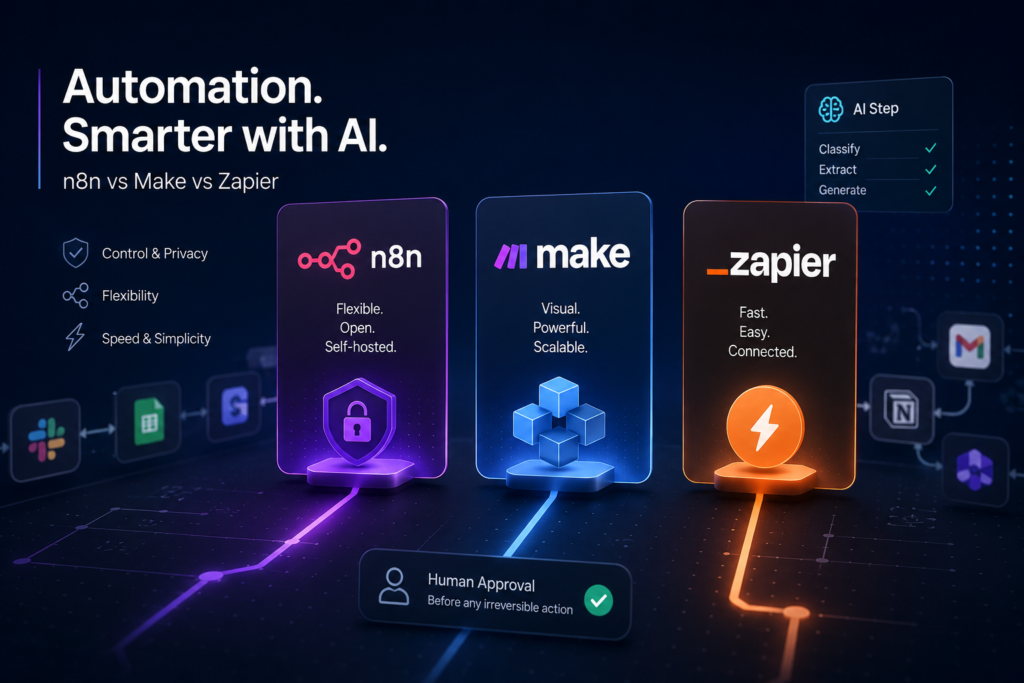
Short answer: Zapier is the fastest to set up and best for non-technical users; Make offers more visual control and better value at volume; n8n is the most flexible and can be self-hosted for privacy and cost control. Add AI steps gradually and always keep a human approval step before anything irreversible.
Who this is for
- Operators building automations across SaaS tools
- Small teams adding AI steps (classification, drafting, extraction) to existing flows
- Technical users weighing self-hosting (n8n) for privacy or cost
- Anyone whose automations touch customer data, payments, or publishing
How we compared these tools
We compared platforms on the factors that decide long-term fit:
- Quality and flexibility of native AI steps and model choice
- Control over logic, error handling, and retries
- Cost model (per-task, per-operation, or self-hosted)
- Portability and lock-in risk
- Safety features for human approval and rollback
Quick comparison
| Platform | Best for | AI flexibility | Cost & hosting |
|---|---|---|---|
| Zapier | Non-technical, fast setup | Built-in AI steps, broad app library | Per-task; can get costly at volume |
| Make | Visual control, value at volume | Flexible AI modules, routers | Per-operation; better at scale |
| n8n | Technical, flexible, private | Any model; full code steps | Self-host or cloud; lowest cost self-hosted |
Treat the table as a starting filter, not a verdict. The right pick depends on your stack, budget, and how much you want to maintain.
The platforms, and when each one fits
Zapier
Zapier has the largest app library and the gentlest learning curve, with built-in AI steps for drafting, classifying, and extracting. It is the right call when speed and breadth matter more than fine control. The trade-off is per-task pricing that can climb fast once AI steps run at volume.
Best when: non-technical users need to connect many apps quickly. Watch out for: per-task cost at volume; limited control over complex branching and retries.
Make
Make (formerly Integromat) gives a visual canvas with routers, iterators, and granular error handling—more control than Zapier at generally better value per operation. Its AI modules are flexible. The canvas has a steeper learning curve but rewards complex, multi-branch flows.
Best when: you want visual control and run enough operations that per-op pricing pays off. Watch out for: complexity can creep; document your scenarios or they become hard to maintain.
n8n
n8n is the most flexible and can be self-hosted, which matters when workflows touch sensitive data or when per-task pricing would be punishing. You can call any model, drop into code steps, and keep data on your own infrastructure. The cost is that you own the hosting, updates, and reliability.
Best when: you have technical capacity and want flexibility, privacy, or lower cost at scale. Watch out for: self-hosting means you own uptime, security patches, and backups.
How to choose: a simple decision framework
- Map the workflow on paper first: trigger, inputs, transformation, action, error handling.
- Decide if any data is sensitive enough to justify self-hosting (n8n).
- Match the tool to your team: Zapier for non-technical speed, Make for visual control, n8n for flexibility.
- Add AI steps one at a time and test each in isolation before chaining them.
- Insert a human approval step before anything that publishes, charges, emails, or deletes.
Common mistakes
- Automating an irreversible action (charge, delete, send) with no approval step
- Adding AI steps everywhere before testing each one in isolation
- Ignoring per-task/per-operation cost until the AI steps multiply it
- No error handling or retry logic, so one bad payload silently breaks the flow
- Sending customer data to a model without checking privacy and compliance
Risks and limitations
- AI steps can produce wrong output that downstream actions treat as fact
- Per-task pricing plus AI calls can scale cost unpredictably
- Self-hosting shifts security and uptime responsibility to you
- Sending personal data to third-party models may raise GDPR/CASL obligations
- Silent failures are common—without logging you will not notice until damage is done
Selection checklist
- [ ] The workflow is mapped: trigger, input, transform, action, errors
- [ ] Sensitive-data handling is decided (and self-hosting considered)
- [ ] Each AI step was tested in isolation
- [ ] There is a human approval step before irreversible actions
- [ ] Error handling, retries, and logging are configured
- [ ] Expected monthly cost at real volume is written down
Recommended setup
Pick the platform that matches your team, not the one with the most features. For non-technical speed, Zapier; for visual control and better value at volume, Make; for flexibility, privacy, or cost control with technical capacity, self-hosted n8n. Whatever you choose, add AI steps gradually, test each in isolation, keep a human approval step before any irreversible action, and configure logging so silent failures surface fast.
Related guides
- Best AI Coding Agents in 2026
- Best AI Tools for Lead Generation in 2026
- How to Fix 401 Unauthorized API Error
FAQ
Which is best for beginners, n8n, Make, or Zapier?
Zapier is the easiest to start with thanks to its app library and simple setup. Make adds visual control with a steeper curve, and n8n is the most flexible but assumes technical comfort, especially if self-hosted.
Is self-hosting n8n worth it?
It can be, when workflows touch sensitive data or when per-task pricing would be expensive at your volume. The trade-off is that you own hosting, security updates, and uptime.
How do I add AI to an automation safely?
Add one AI step at a time, test it in isolation, validate its output before downstream actions use it, and keep a human approval step before anything irreversible like charging, deleting, or sending.
Will AI steps make my automation unpredictable?
They can, because model output varies. Constrain prompts, validate outputs, and never let an unverified AI result trigger an irreversible action without review.